

Make room for your rhythm
Your rhythm.
Your band’s sound.
Discover exercises and drum backing tracks, adapt them and play — solo or with your band. Build sequences from named patterns, practise selected parts and track your consistency.
Discover. Adapt. Play it your way.
Listen to a ready-made exercise and add it to your practice.
Choose the tempo, sounds and rhythm structure for what you want to practise.
Check your playing time and practice days to see how consistently you play.

Create and share
A rhythm to start with. A sound of your own.
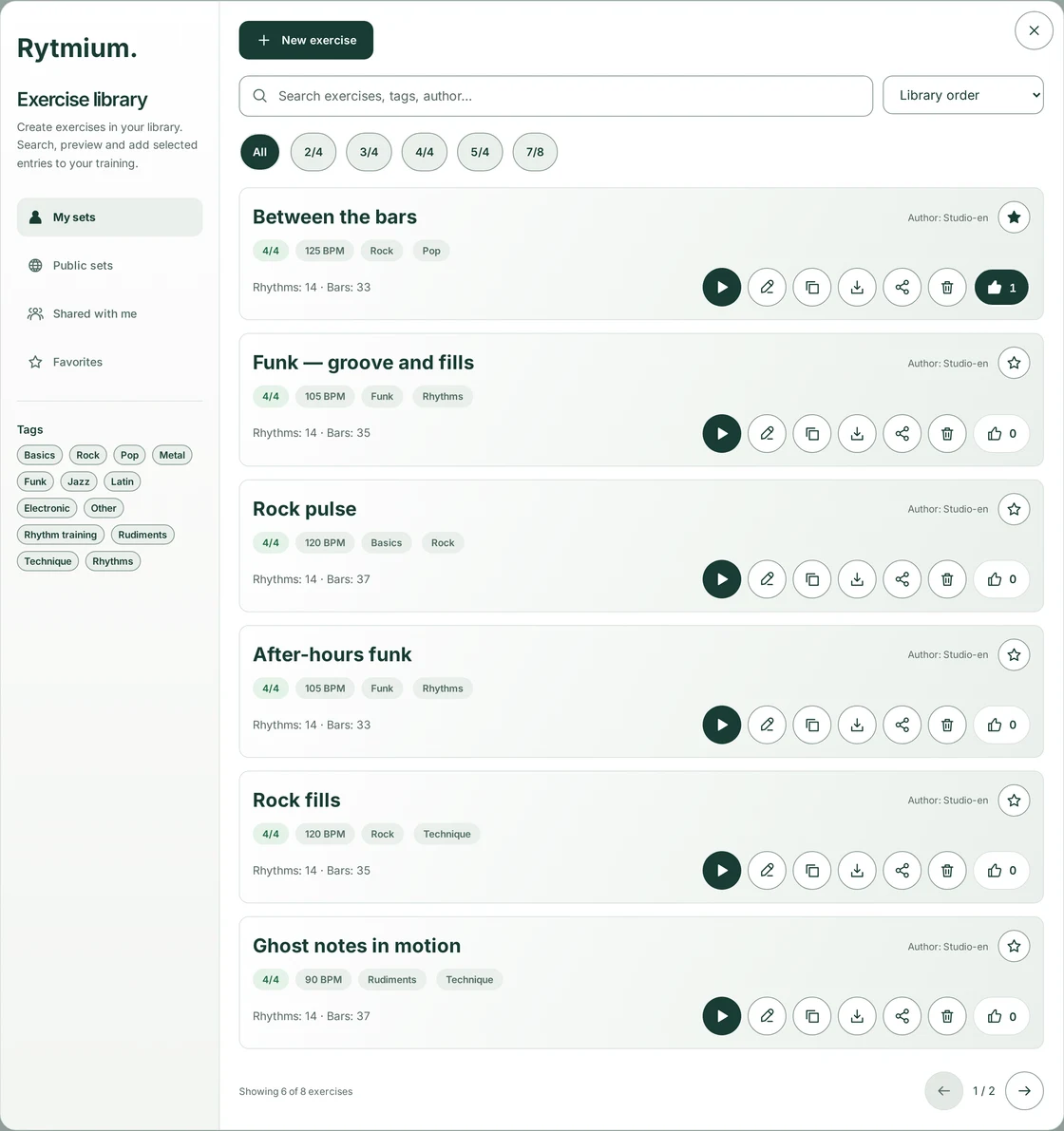
Your exercises, public ideas and material shared with you — all in one library. Search by name, tags or author. Listen, inspect the structure and choose an exercise for practice.
Discover
Filter by meter and tags. Star your favorites and give exercises a thumbs-up. Previews let you hear the rhythm without recording practice time.
Make it yours
The download arrow selects an exercise for practice. Choosing someone else’s exercise also gives you your own copy — change its tempo, rhythms and structure.
Share
Share your exercise with specific people or publicly. You decide when to send later revisions; downloaded copies remain independent.

Rytmium for bands
No drummer? Keep the rehearsal going.
Arrange Intro, Verse, fills and Chorus into one sequence. Each pattern can contain several rhythms. Loop selected entries, work on transitions and play to a shared pulse — with or without the click.
Play togetherYour daily practice
Less setting up. More playing.
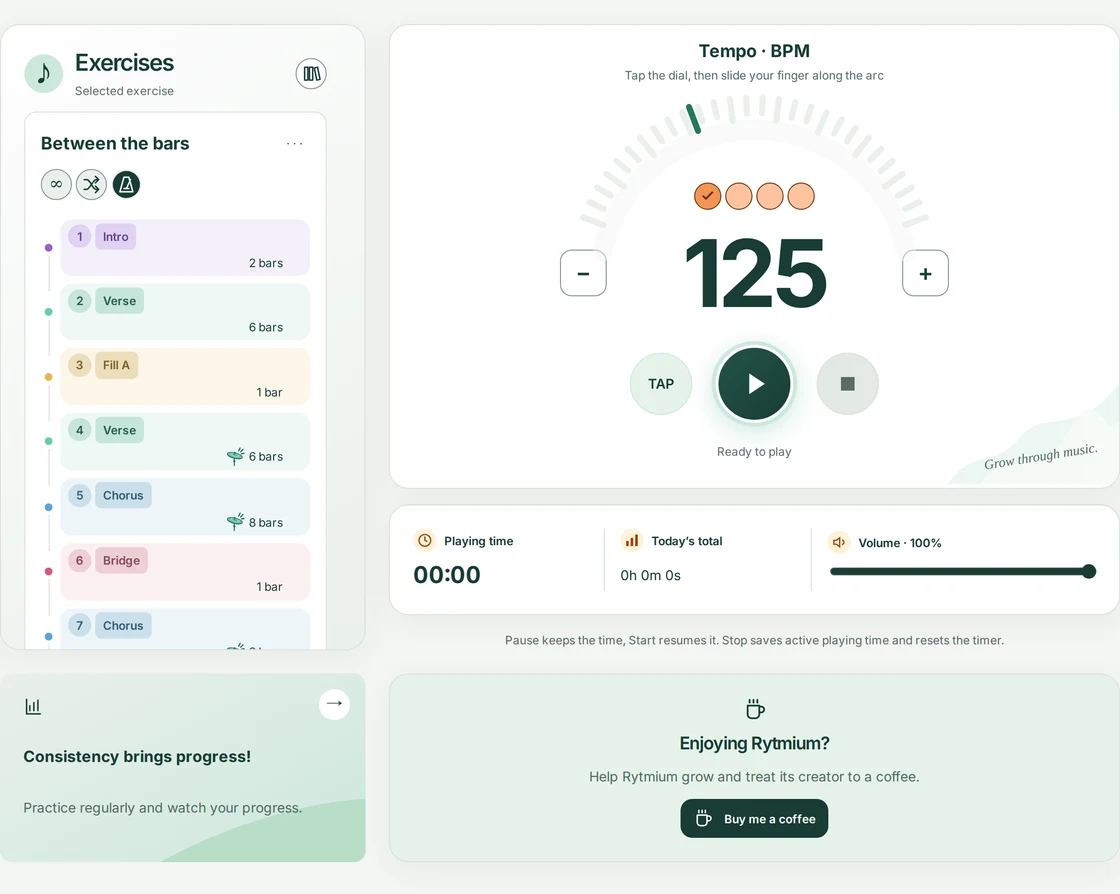
Play the whole exercise or choose the parts you want to work on. The AI agent announces the next pattern, while random selection keeps practice interesting. Focus on playing without watching the screen to find out what comes next.
Set tempo with the dial, buttons or TAP. The selected exercise supplies its meter and rhythms. Toggle the metronome click and loop the whole exercise or selected entries. Turn on random pattern selection and practise reacting to changes. Voice cues can be enabled or disabled for each exercise.
Just need a pulse?
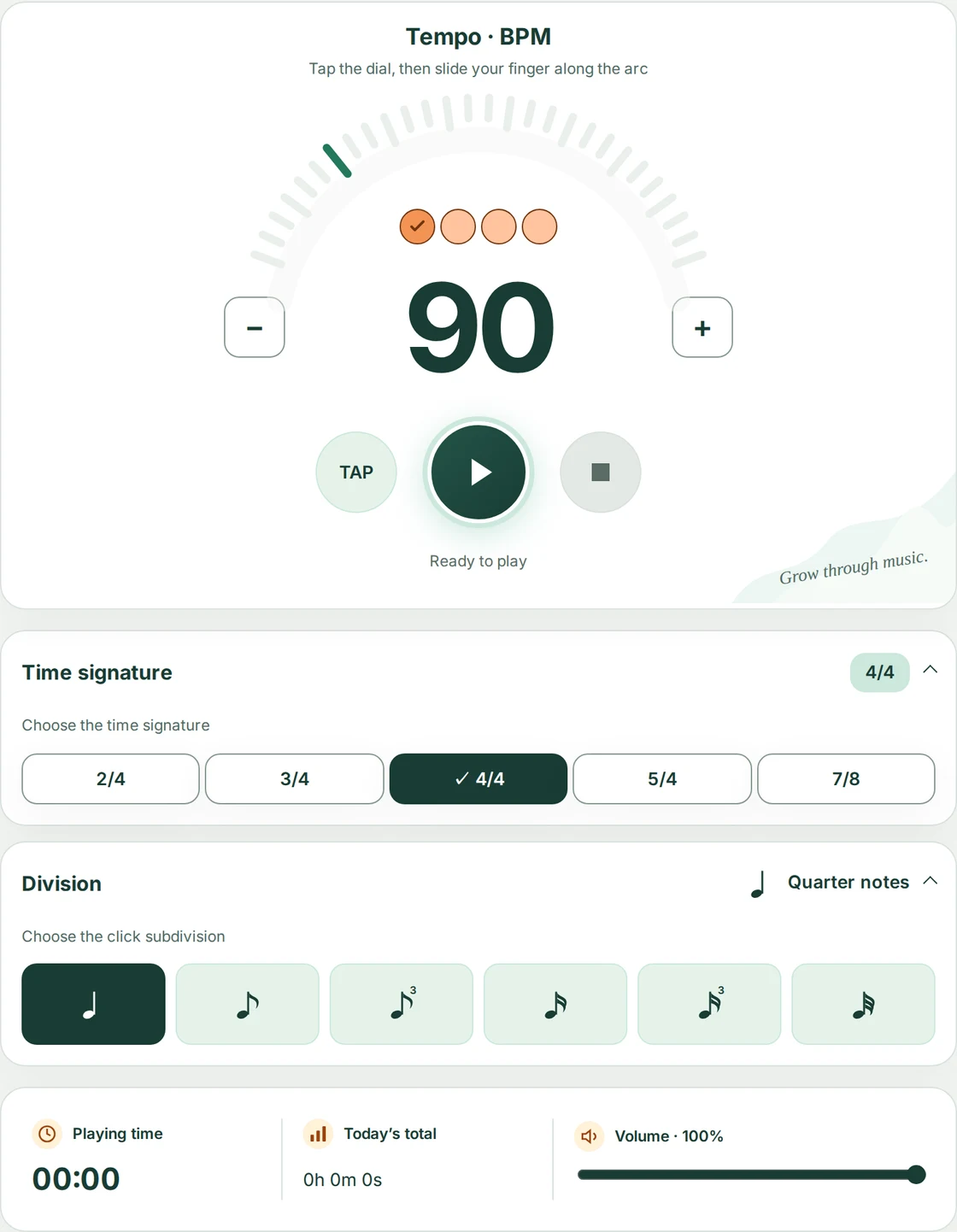
The metronome also works on its own and with a song playlist. Choose BPM, meter, subdivision and accents. On the exercise screen, rhythm settings come from the prepared sequence.
Turn ideas into practice
Build it once. Play it your way.
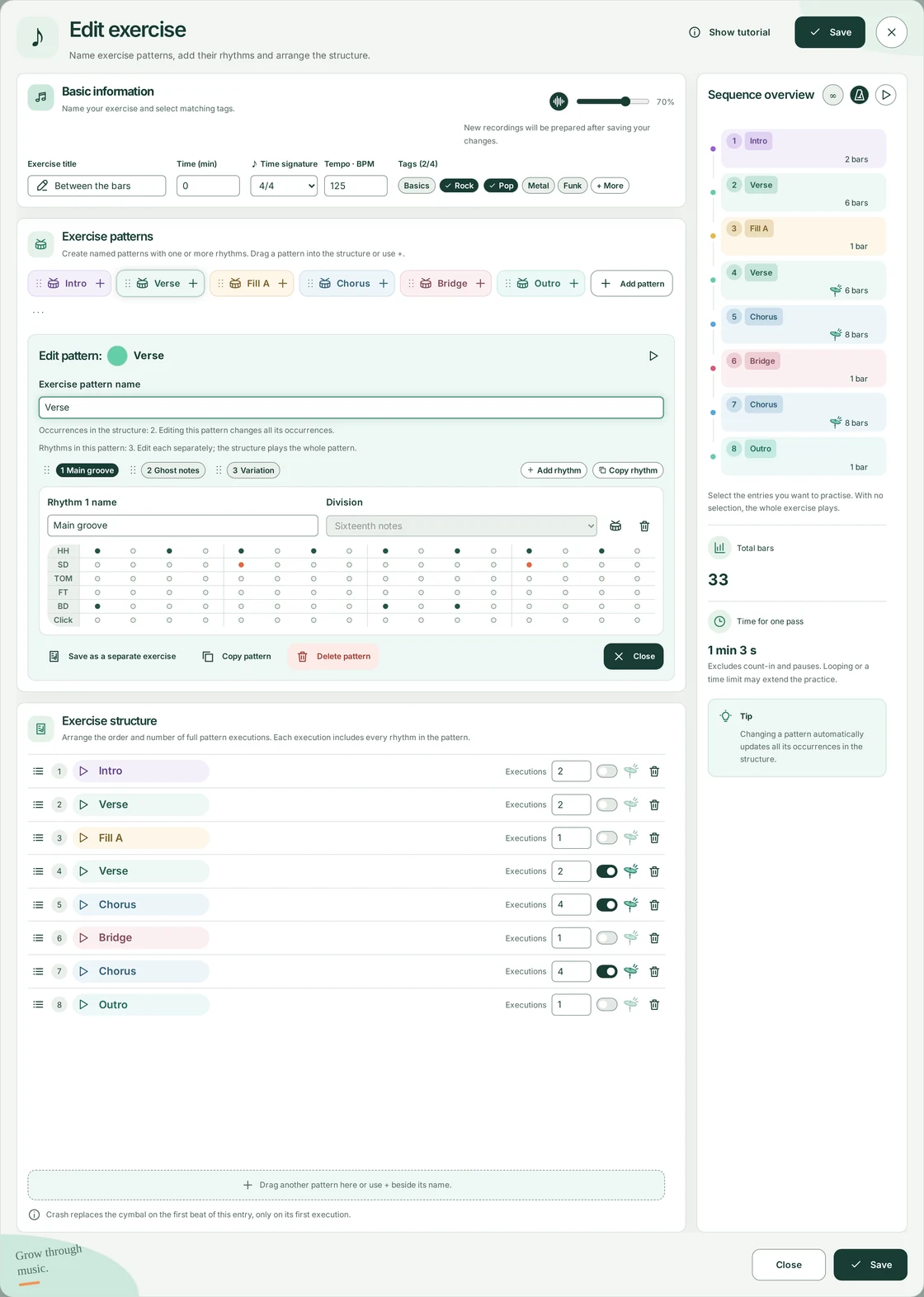
Name your patterns: Intro, Verse, Fill A, Chorus. Arrange one or more rhythms within each, then drag colored badges into the structure. Reuse ideas without creating dozens of copies.
One pattern can contain several rhythms. Reorder them with handles and edit hits in the grid. Set complete repetitions in the structure. Add a crash only when entering an entry. Edit a pattern once to update every occurrence. Save the full sequence or a whole pattern as a separate exercise. In the editor, click the waveform icon beside Basic information, set the volume and save the exercise. AI prepares recordings of the pattern names; prepared cues also work offline.
Your songs, your order
Map out your song. Hear what comes next.
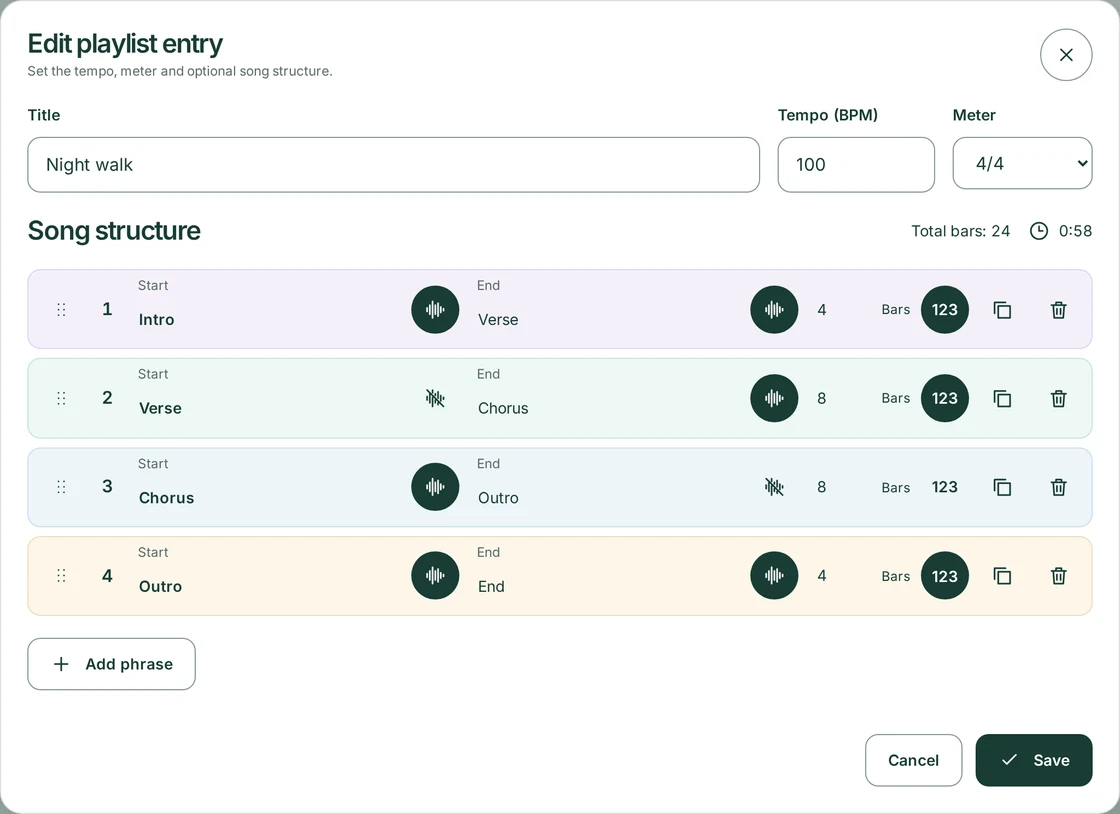
Save songs to your playlist and set the tempo and meter for each one. Without a song structure, playback is just the metronome click. Add phrases and the assistant can announce upcoming sections, or stay switched off — you decide.
Arrange your phrases
Add an Intro, Verse, transition or Chorus. Set the number of bars, colour and order. The phrases form a song structure you can play along with to a click.
Start and end announcements
Start reads your text as the phrase begins. End announces an upcoming transition or the end of the song. Enable each announcement independently using its voice icon.
Count your way in
The “123” button enables counting before the end of a phrase. Use announcements and counting, or just play along with the click.
See how far you’ve come
Small steps. Visible consistency.
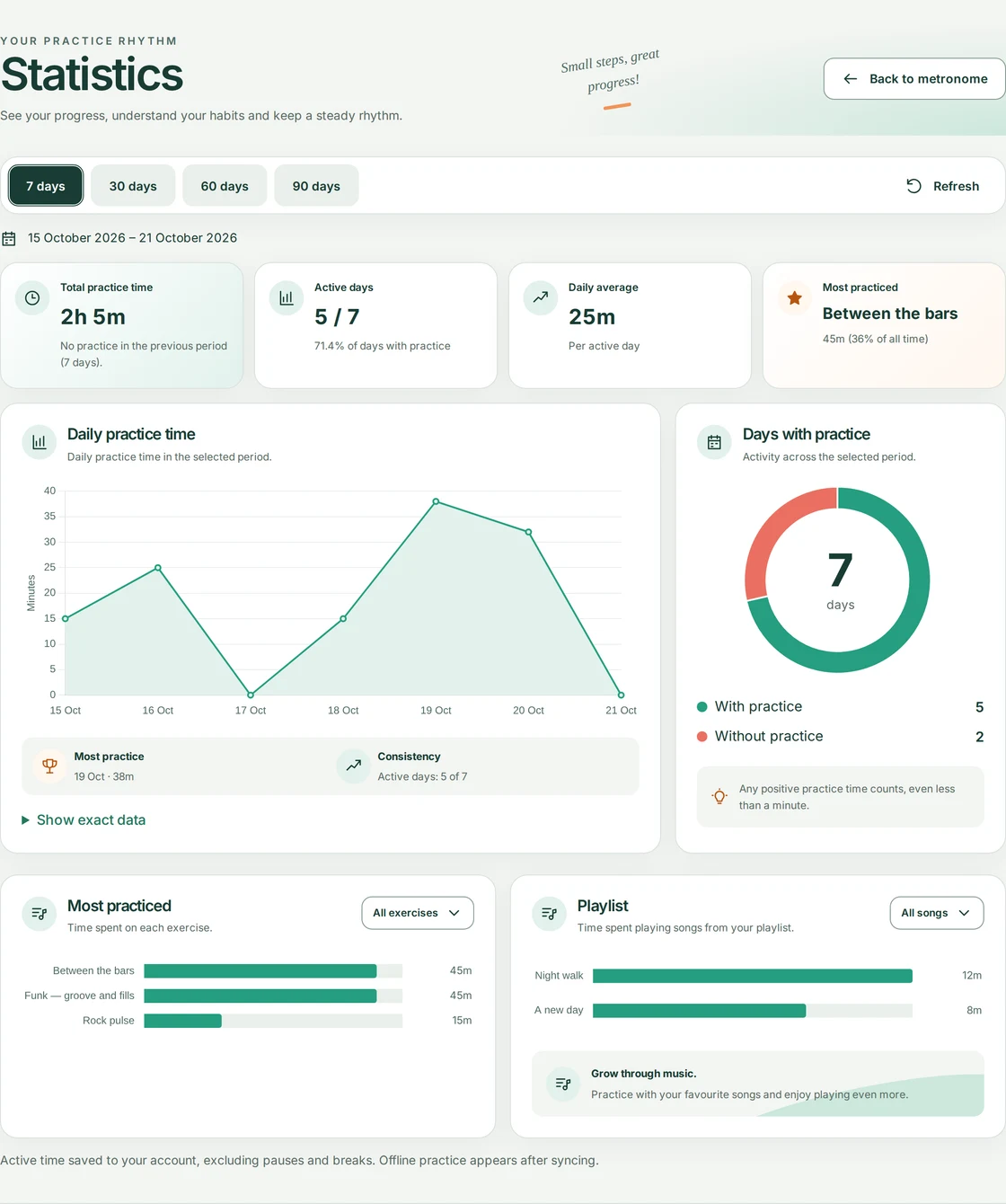
See how much time you actually spend playing and which days you practise. Choose the last 7, 30, 60 or 90 days, check your daily playing time and see which exercises get the most attention. Breaks don’t add to the total — the statistics show active practice time.
The next rhythm is yours
Less waiting. More playing.
Choose an exercise or build your own sequence. Play it all, loop difficult parts and return to saved ideas. Share your exercise whenever you are ready.
Start playing